

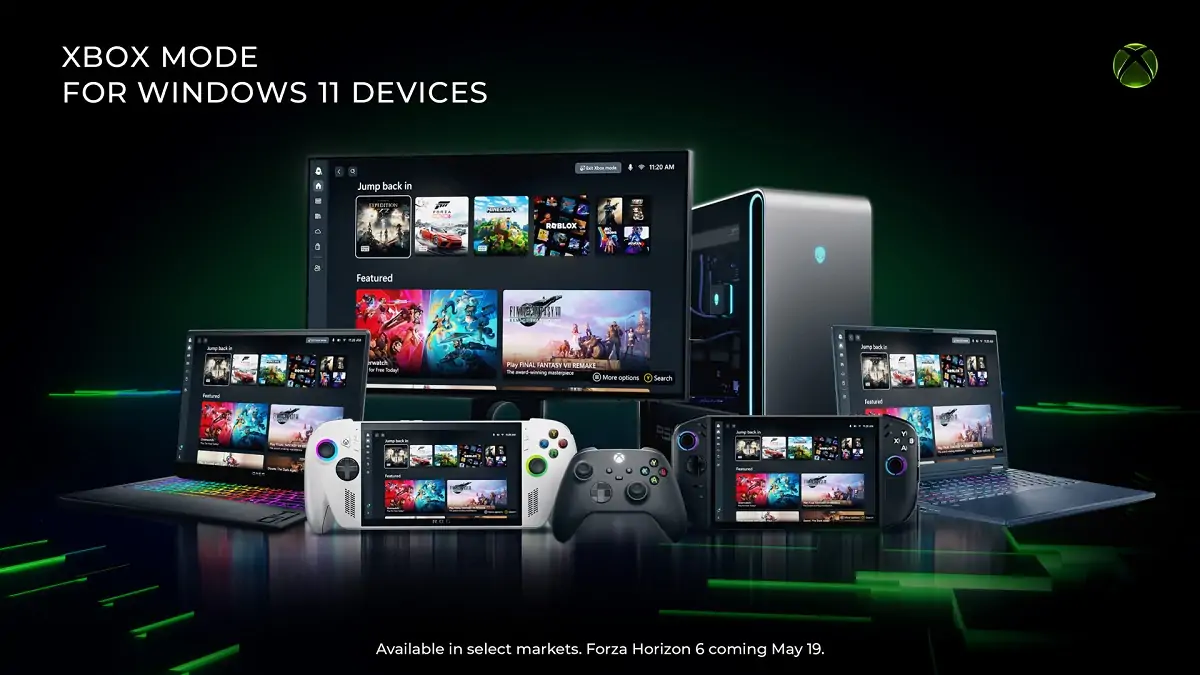

Microsoft made it official today: Xbox mode is now rolling out to Windows 11 PCs. The announcement came on April 30, signed by Jason Ronald, Vice President of Next Generation at Xbox, and Ian LeGrow, Corporate Vice President of Windows + Devices. The rollout is starting in select markets and covers laptops, desktops, and tablets. Not a drill, not a beta, this is the real thing hitting your machine with the latest Windows update.
The feature was originally called “Xbox Full Screen Experience” and debuted exclusively on gaming handhelds like the ASUS ROG Ally. Microsoft has since renamed it Xbox mode and is now bringing it to every Windows 11 PC form factor out there. The name change alone signals how serious they are about this.
A console experience, right inside your PC
Xbox mode transforms your Windows 11 desktop into something that looks and feels like the home screen of an Xbox Series X. You get a full-screen, controller-optimized interface that puts your game library front and center, hides all the usual Windows clutter, and lets you jump into a game without hunting through taskbars and menus.
Your recently played titles are right there. Your Xbox Game Pass catalog is right there. Games from other storefronts like Steam also show up in the same unified library. Everything in one place, no app-hopping required.
And the performance angle is real too. Microsoft says Xbox mode reduces background processes while active, freeing up to 2GB of RAM for your games. On mid-range machines and gaming handhelds, that’s a meaningful difference.
The best part? You’re never locked in. You can switch between Xbox mode and your regular Windows 11 desktop at any time through Task View, and no restart is required. It’s an on/off switch, not a commitment.
How to turn it on right now
Getting into Xbox mode is straightforward. You can launch it directly from the Xbox app, through Game Bar settings, or just press Win + F11 to toggle it on the spot. If you want your PC to boot straight into it every time, there’s a startup option in Settings under Gaming that takes care of that.
You do need the latest version of the Xbox app installed, and your system needs to be up to date with the most recent Windows 11 update. Microsoft is doing a gradual rollout, so not every device will see it on day one, but it’s on its way.
One heads up for European readers: countries in the European Economic Area are not included in the initial rollout. No confirmed timeline yet for when that changes.
This is bigger than just a new interface
Xbox mode didn’t appear in isolation. At GDC 2026 in March, Microsoft laid out the full picture of where this is all heading. The company is pushing a unified Game Development Kit that lets developers build a game for Windows and have it automatically ready for the next-gen Xbox console, currently codenamed Project Helix.
The idea is simple but massive: if you build for PC, you’re building for Xbox. One codebase, two platforms. Developers won’t have to do much extra work at all.
Project Helix itself is still in development, with alpha hardware kits planned for 2027. But Xbox mode is the first visible piece of that future landing on your machine today. Microsoft isn’t waiting for new hardware to start reshaping what Xbox means, they’re already doing it through software, right inside Windows 11.
The line between “PC gamer” and “Xbox gamer” is getting thinner by the update.
Are you excited to try Xbox mode on your PC, or is the classic Windows desktop all you’ll ever need? Tell us what you think in the comments!