



Managing an iPhone from a Linux machine has always been a headache. iTunes never made it there, and most third-party tools are either paid, abandoned, or simply unreliable. iDescriptor was built exactly to fix that. It’s a free, open-source, cross-platform iDevice management tool written in C++, compatible with Windows, macOS, and Linux, and it’s been gaining serious traction on GitHub, currently sitting at over 3,600 stars with 161 forks and active development.
The project positions itself as the lightweight alternative to iTunes, and the feature set backs that up. It’s not trying to be everything at once, it’s focused, functional, and built for people who actually need to manage their devices without Apple’s ecosystem getting in the way.
A feature set that covers the essentials, and then some
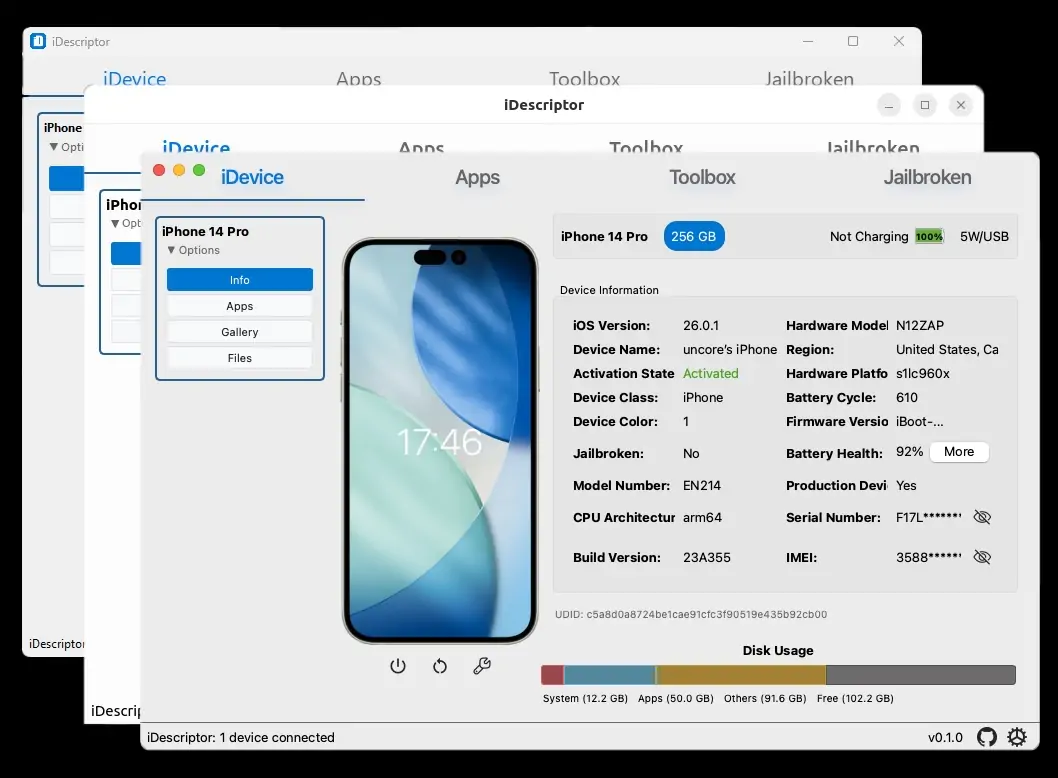
Connecting your iPhone or iPad via USB gives you immediate access to a file explorer, a gallery viewer, and full filesystem browsing. For Windows and Linux users, the iFuse Filesystem Mount feature takes it a step further, letting you mount your iDevice as a regular drive with both read and write access, no workarounds, no third-party utilities on top of it.
AirPlay support is built in, letting you cast your device’s screen directly to your computer. For devices that don’t support AirPlay, the Live Screen feature handles real-time screen viewing over a wired connection. App installation is covered too, iDescriptor connects directly to the Apple App Store, so you can download and install apps straight from the interface using your Apple ID. The feature runs on a modified version of ipatool, and credentials are stored securely and shared across tools once you’re signed in.
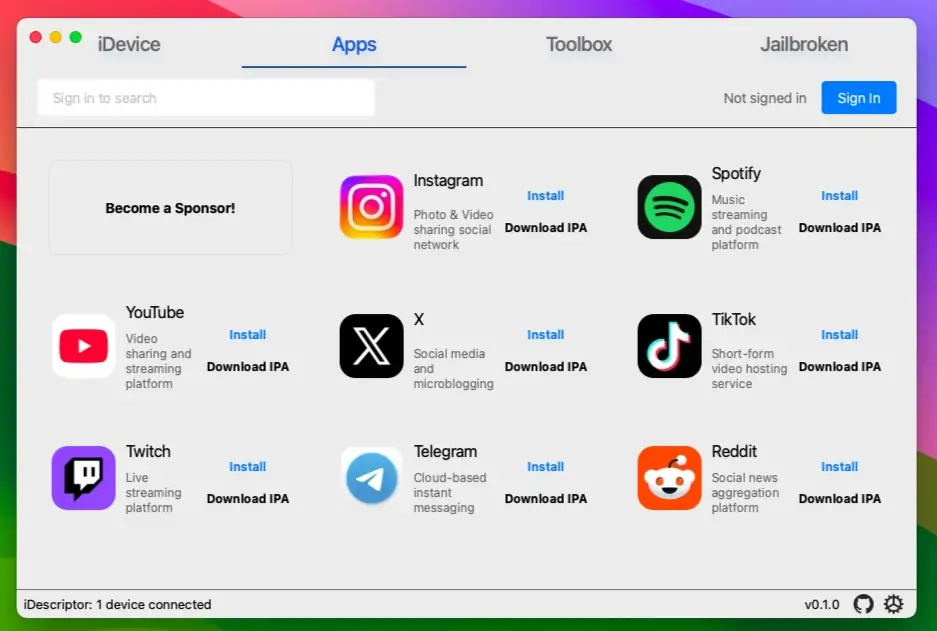
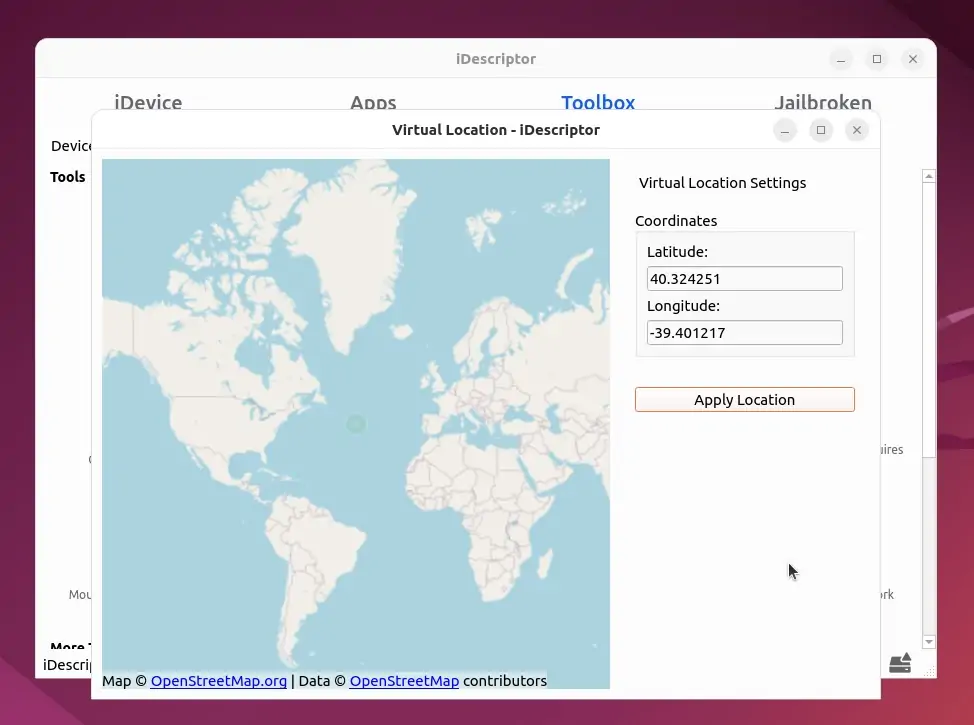
Virtual Location lets you simulate a GPS location on your device, currently covering iOS 6 through iOS 16. Jailbroken device users get an SSH terminal built directly into the app, eliminating the need for a separate SSH client. The Cable Info feature lets you verify whether a connected USB cable is genuine Apple hardware or a counterfeit. Network Device Discovery lets you detect and monitor iDevices on your local network. The interface is fully theme-aware, adapting to light and dark mode automatically on all supported platforms.
There’s also a Wireless Gallery Import option that pulls photos from your device wirelessly, it requires the Shortcuts app on the iDevice side. And a Query MobileGestalt tool gives you detailed hardware and software information directly from the device.
Cross-Platform without asterisks, and a big update on the way
On Windows, iDescriptor is available as an .msi installer, a portable .zip, and through Chocolatey. On macOS, there are dedicated builds for both Apple Silicon and Intel machines. On Linux, it ships as an AppImage and is available on the AUR, so Arch users can get it running with a single yay -S idescriptor-git command.
The latest stable release is v0.3.0, published on February 17, 2026. Version 0.4.0 is already deep in development and the roadmap is substantial. Wireless connection support is listed as done and waiting to ship. Virtual Location is being extended to iOS 17 and above, and full iOS 26 compatibility is also on the list. The project is migrating to idevice-rs for improved performance, with a separate UCRT migration planned for the Windows build. New UI/UX improvements and direct IPA file installation are also incoming.
The entire codebase is built on libimobiledevice, the established open-source library for Apple device communication, and uses Qt 6 for the interface. The language breakdown is 93.6% C++, and the project is licensed under AGPL-3.0. Three contributors are currently active on the repo, led by primary maintainer uncor3, with 431 commits to date.
One important note from the team: downloads should only come from the official GitHub releases page or their site at idescriptor.github.io. There are third-party sites distributing the app without authorization, and the team has been explicit about warning users away from them. The project also accepts sponsorships through OpenCollective and GitHub Sponsors, with donors able to request or prioritize specific features in the roadmap.
Have you already tried iDescriptor, or are you still managing your iPhone the old-fashioned way? Tell us what you think in the comments!