



PC gamers have been fighting the same battle for years: storage space runs out, a new massive title demands room, and something from the library has to go. Game Compressor, a utility tool developed by Stonepit Sons, launched on Steam in Early Access on February 17 with a direct solution to that problem.
Instead of forcing players to delete titles they want to keep, the software compresses existing game folders so they occupy significantly less physical space on the drive, with no performance loss and no decompression wait times before launching.
The tool is currently available at an introductory price of $3.99, down 20% from its regular price of $4.99. Stonepit Sons has confirmed the price will increase slightly upon the full v1.0 release. The Early Access period is expected to last approximately one to three months.
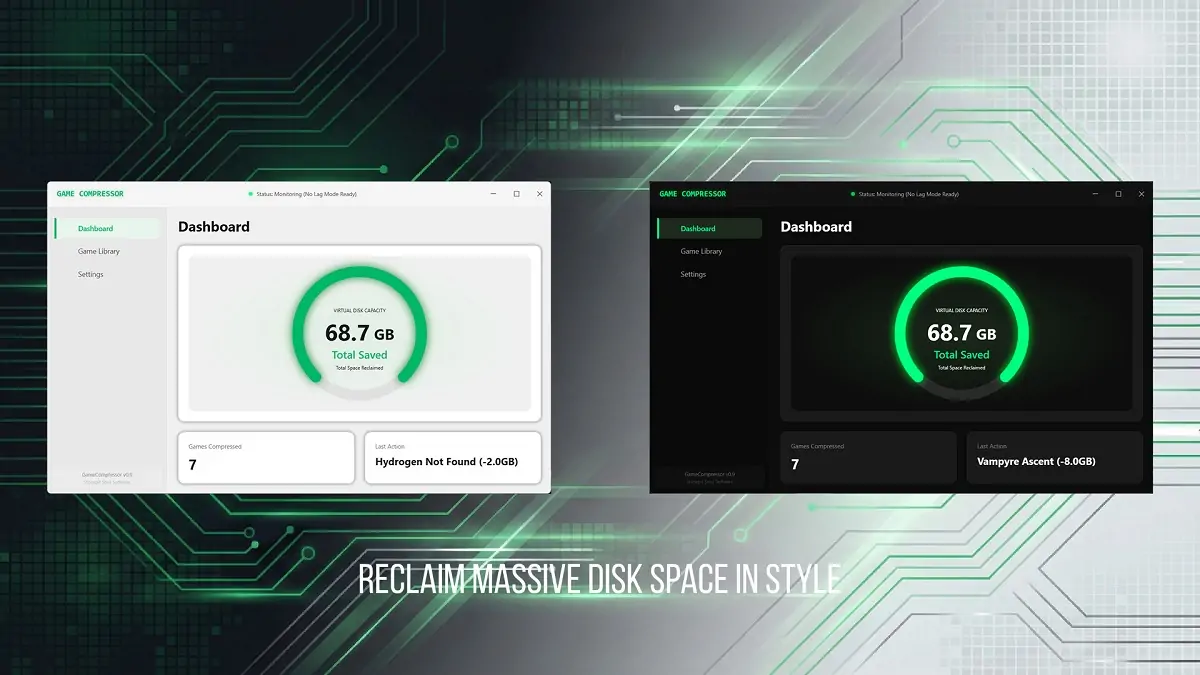
How the compression works at the OS level
Game Compressor does not use ZIP, RAR, or any conventional archive format. It runs on Microsoft’s native CompactOS LZX technology, the same compression framework built into Windows itself.
The process operates entirely at the file system level: game files are physically reduced on the drive, but Windows and the game engine continue to see them as untouched and full-sized. When a game is launched, the CPU handles decompression on-the-fly in real time, meaning there is no extraction process and no waiting, players compress their files and play immediately.
Because the tool works solely on the file system and does not inject code or interfere with RAM during gameplay, it carries no ban risk in VAC, BattlEye, or any other anti-cheat system. It is also fully reversible: a single click restores any game to its original uncompressed state at any time.

Space savings vary depending on the game. Massive AAA titles and open-world games built with uncompressed audio and texture assets can see reductions of 40 to 50 percent, which can translate to dozens of gigabytes recovered on a single title.
Games that have already been heavily compressed by their developers, a common practice in competitive shooters, are automatically detected by the algorithm and skipped, avoiding unnecessary CPU load and preserving file integrity. As an added benefit for users still on traditional hard drives, reducing the amount of data read from disk can also improve loading times on HDDs.
Update-Proof Storage Management and who benefits most
One of the tool’s more practical features is its handling of game updates. Every patch a game receives can undo previous compression gains as new or modified files are added uncompressed. Game Compressor addresses this by allowing users to rescan updated games and compress only the new or changed files, continuously reclaiming space lost after each update cycle rather than functioning as a one-time fix.
The software is specifically designed with certain user groups in mind. Handheld console gamers using devices like the ROG Ally, Lenovo Legion Go, and Steam Deck running Windows stand to benefit considerably, as storage limitations on those machines are a persistent pain point and SD card space fills up fast.
Laptop users working with 512 GB SSDs are another primary target, with Stonepit Sons describing the tool as a virtual disk expansion for that segment. The software also caters to what the developers call archivists, players who refuse to delete any game from their library regardless of how rarely they play it.
System requirements are minimal. The tool runs on Windows 10 or Windows 11 in 64-bit, requires at least an Intel Core i3 or AMD equivalent processor, and 4 GB of RAM. Processing speed scales with CPU core count, meaning users with a Ryzen 5, Core i5, or higher will see faster compression times.
On the roadmap for the full v1.0 release, Stonepit Sons plans to introduce a refined user interface with improved animations, a Global Leaderboard displaying how much combined storage space the community has saved worldwide, and automated game detection algorithms to identify compressible folders without manual input.
The developer has stated that community feedback gathered through the Steam forums during Early Access will directly shape the final feature set. Game Compressor is available now on the Steam store at its Early Access introductory price of $3.99.
Have you already run out of storage space on your gaming PC or handheld and had to make tough calls about what to delete? Would you try Game Compressor to fix that? Let us know in the comments!