


For years, improvements in graphics performance depended mostly on raw silicon: more compute units, higher clock speeds and bigger chips. That model has changed. Today, upscalers, frame generation and AI denoisers do a large part of the work, and the newest step in that direction is neural rendering, a technique in which a trained network reworks the final image instead of simply rebuilding resolution. NVIDIA introduced its version of this technology as DLSS 5 Neural Rendering, with an official launch limited to RTX graphics cards.
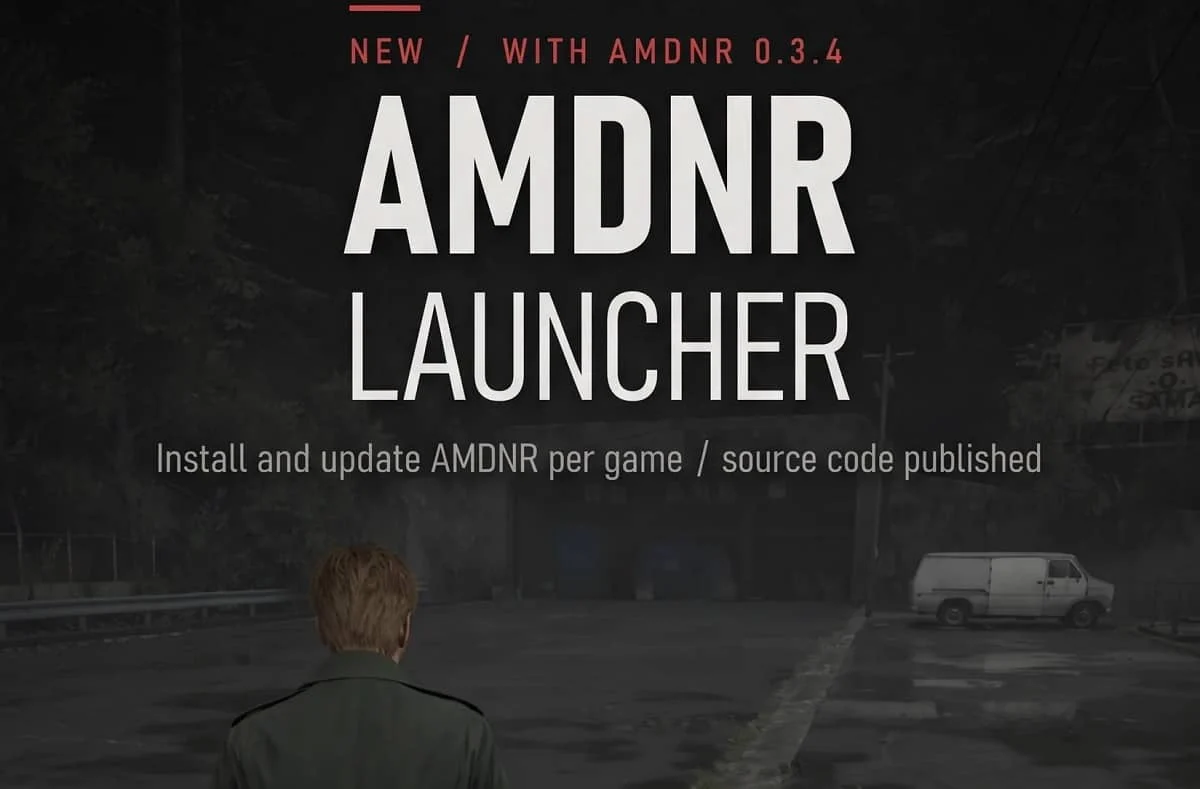
AMDNR emerged as the community’s answer for Radeon owners. The project is a fork of OptiScaler, distributed under the GPL-3.0 licence, that runs DLSS 5 Neural Rendering on AMD GPUs and adds model interleave, residual composition, XeSS frame generation and FSR Ray Regeneration.
It is not an AMD product or an official standard: its own documentation states that it is not endorsed by, affiliated with, or supported by NVIDIA, AMD, or any game publisher, and that it drives an undocumented feature directly. Even so, its existence reflects a clear need: adapting Radeon architectures to the demands of modern neural rendering without waiting for an official solution.
How AMDNR runs DLSS 5 on Radeon hardware
AMDNR began as a way to connect the work of other developers, and it still credits that work openly. The neural network runs through two runtimes: DLSS-NR on AMD by Daniel Blanco, which AMDNR ships unmodified with his permission, and lmxxf by Kien, released under the MIT licence. Both use custom HIP kernels on Radeon GPUs and can be selected from the AMDNR Launcher. Setup on the HIP side is simple, since the neural runtime uses HIP through the regular driver, without the HIP SDK or developer mode. Requirements include a Direct3D 12, Direct3D 11 or Vulkan game, plus about 2 GB of spare VRAM at 1080p-class render resolutions.
There is one important detail for anyone planning to try it. Daniel Blanco’s standalone tool asks users to get their own copy of NVIDIA’s nvngx_dlssnr.dll from a game that supports DLSS 5. AMDNR, for its part, does not include NVIDIA’s DLL in its archives, so users should follow the installation guide in its README for the runtime they choose.
RDNA 4 is where the project shows its best results. Kien’s runtime includes improvements for RDNA 4’s FP8/E4M3 capabilities, and AMDNR added optimizations of its own: new one-wave kernels for some of the network’s layers reduced network time on an RX 9070 XT from 17.8 to 15.3 ms at 1080p, producing the same image bit for bit. The previous generation also has support. Both runtimes run on RX 7000, with lmxxf working through AMDNR’s own RDNA 3 backend, which is slower than on RDNA 4 and uses a smaller network size by default.
The biggest challenge is the cost in milliseconds. In traditional rasterization, a game running at 60 fps has roughly 16.7 ms to produce each complete frame. A neural pass of about 15 ms consumes almost that entire budget on its own, on top of the time the GPU already spends rendering the scene.
On mid-range RDNA 3 hardware the numbers are even more demanding: on an RX 7800 XT at 1440p with FSR Quality, the network run dropped from 73.3 to 52.2 ms in a test outside a game after the cheaper network size became the default, with slightly softer fine detail as the trade-off. The project doesn’t hide these figures, since the in-game menu shows the NR cost in milliseconds.
For that reason, AMDNR includes a wide set of controls. The main one is NR resolution, which sets the size of the picture the network works on and displays its cost right beside the slider. On RX 7000, the README suggests starting at 70% or lower, because the percentage applies to both width and height: at 150%, the network processes 2.25 times the pixels.
Model interleave runs the model every second frame for a large frame-rate gain, while a preset decides how the skipped frames are filled. The default preset, Edit accumulation, shows each frame’s own picture plus the model’s carried correction, so no image is held over. Residual limit caps how far a single pixel can move, and the documentation recommends lowering it if blotchy patches appear. Running 2 or 3 neural passes stacks the model, although with diminishing returns.
Community mods fill the gap left by closed standards
The path to AMDNR started on NVIDIA hardware. An earlier method relied on ReShade, until an OptiScaler fork began running NVIDIA’s model directly and removed that dependency; with the change, one tester reported The Last of Us Part II going from 14 to 30 fps without frame generation.
That fork added NVIDIA’s nvngx_dlssnr.dll as an extra pass after the game’s upscaler, and less than a week after the technology started spreading to older NVIDIA cards, the first AMD port appeared. OptiScaler was a natural foundation: the tool can intercept DLSS calls and replace them with FSR or XeSS, and enable FSR Frame Generation in DLSS-only titles. AMDNR keeps that approach and bundles Nukem9’s dlssg-to-fsr3, unmodified, so a game’s DLSS Frame Generation calls are served by FSR 3 frame generation.
Convenience was another barrier the community had to solve. Before the launcher existed, experimenting meant copying OptiScaler builds, runtimes, weights, multiple DLLs and configuration files into each game’s folder. Now, the AMDNR Launcher supports both runtimes while keeping the full OptiScaler interface, including FSR and XeSS options, frame generation, Ray Regeneration and Model Interleave. It also updates itself and is available in nine languages.
The ecosystem’s openness has nuances. AMDNR is licensed under the GPL, and its developer states that the source code will be published in a future version. The lmxxf runtime uses the MIT licence, while Daniel Blanco’s DLSS-NR-on-AMD is closed-source. AMDNR itself mixes models: its launcher is source-available with all rights reserved, and the lmxxf runtime’s assets ship in an encrypted package. Even with these limits, the transparency that does exist has been key.
Kien’s GitHub repository documents the porting process in detail, with reverse-engineering notes, a work log covering daily progress and failures, and a staged plan that runs from weight formats to real-time execution on AMD GPUs. That level of visibility is something rigid proprietary standards do not offer.
The mod also has clear restrictions. Because it relies on DLL injection, it is limited to single-player titles, and games with anti-cheat block the DLL. Neural Rendering itself runs only on Windows, although the launcher can run under Wine or Proton on Linux on an experimental basis.
More life for older and mid-range Radeon GPUs
The neural pass does not make an older GPU faster; on the contrary, it has a significant performance cost. The real change these tools introduce is the degree of control in the user’s hands. With NR resolution, interleave, upscaler replacement and frame generation in a single package, the user decides how much image quality to trade for fluidity, instead of depending solely on what the manufacturer officially enables for each card. That same set of tools, with FSR or XeSS upscaling in DLSS-only games and frame generation, gives mid-range or older cards room to handle heavier effects without forcing an immediate upgrade.
Support also reaches beyond desktop PCs. The lmxxf runtime already runs on handheld APUs with 12 or more compute units, such as the Z1 Extreme, Z2 and Radeon 780M, through AMDNR’s RDNA 3 backend, although it is still experimental and slow.
How the AMDNR Launcher installs the mod
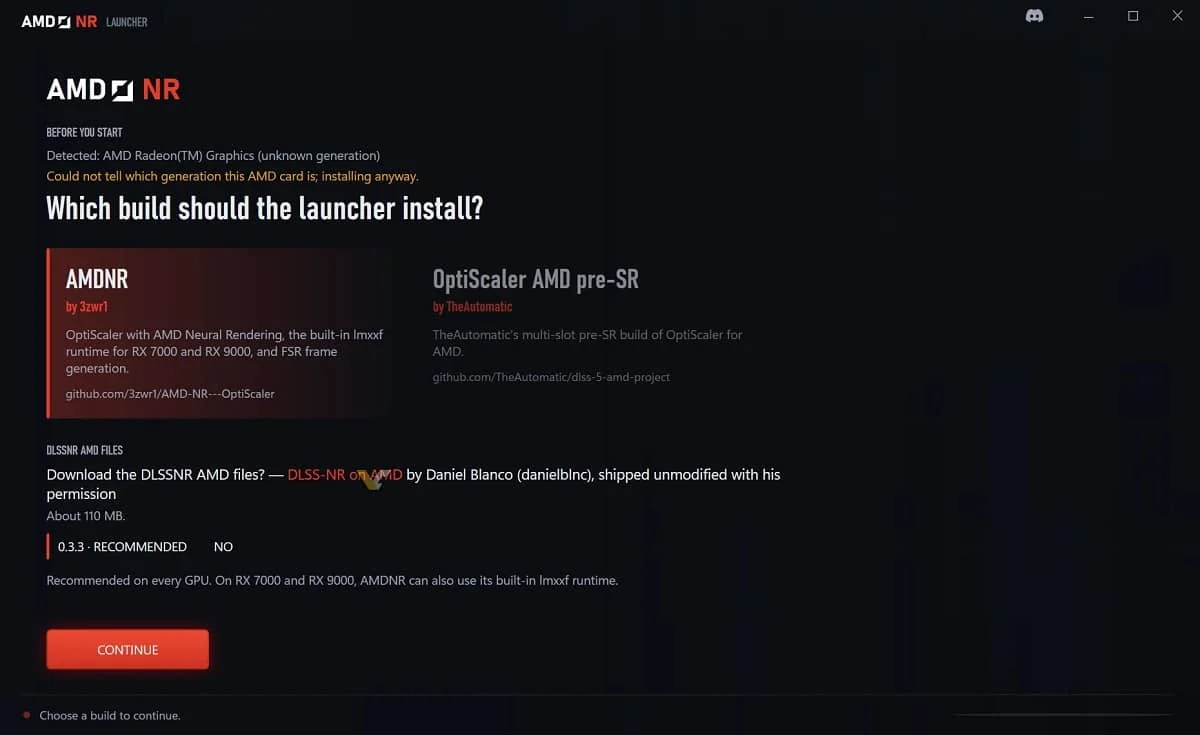
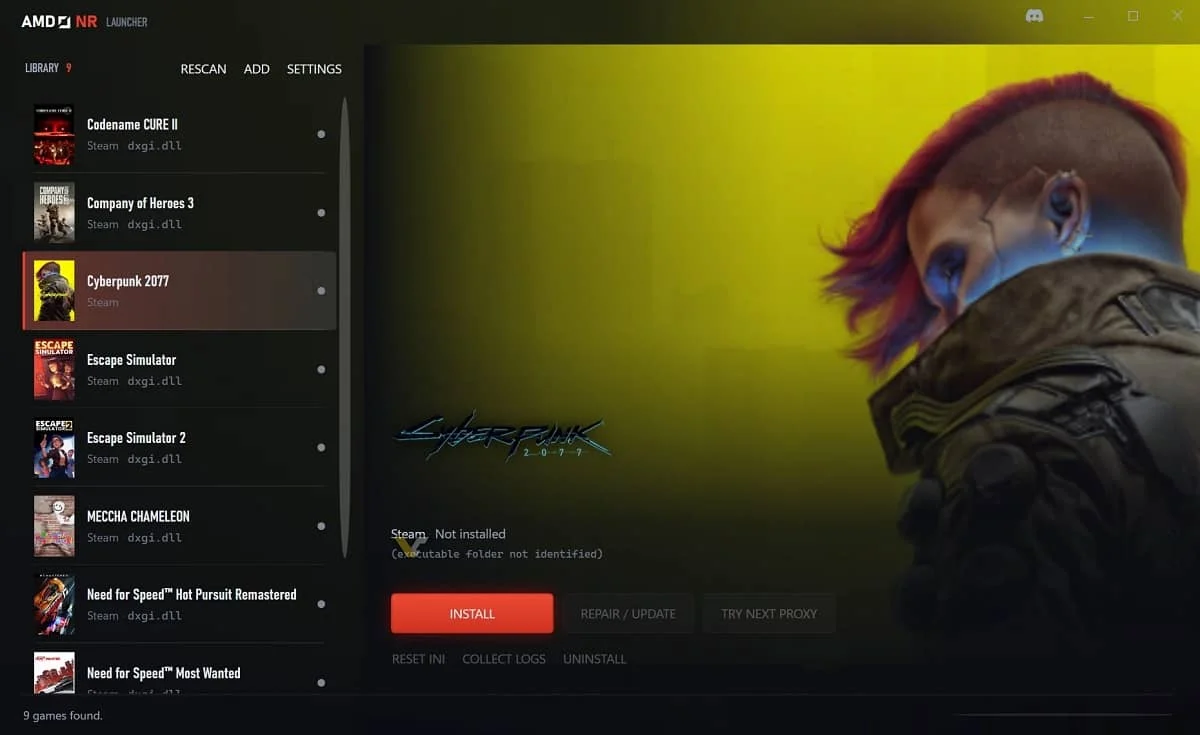
Installation is now handled by the AMDNR Launcher, a tool that automates the whole process. When opened for the first time, the launcher checks the user’s GPU and then offers to choose a build and whether to add Daniel Blanco’s runtime. The program detects games installed through Steam, Epic and Xbox on its own, while any other title can be added by selecting its folder; after that, the user only needs to pick a game and press install. Every file the launcher replaces is backed up, so uninstalling returns the game to its original state, and when a new version is released, an “update available” notice appears.
If a game ignores the mod, the “Try next proxy” option loads it under another DLL name, and if something fails, a built-in doctor explains the problem and how to fix it. The launcher also keeps itself up to date. Inside the game, the INSERT key opens the AMDNR menu, where the user can select the runtime and apply one-click presets: Quality, Balanced or Performance, in addition to a Handheld preset for portable devices. For troubleshooting, the Save report function packs the logs into a zip file ready to send to the project’s Discord.
Looking ahead, the limits remain clear. Coverage of the project points out that custom HIP kernels do not eliminate the problem: the neural workload remains costly on Radeon even when developers take advantage of RDNA 4’s matrix and FP8 hardware, and fast motion can still produce visual artifacts. Even so, the direction is evident. The hardware decisions AMD makes today, such as matrix units and support for low-precision formats, will determine what software can do with each card years from now. The silicon sets the ceiling, but software, whether official or created by the community, is what defines how long a graphics card stays relevant.
Would you try neural rendering on your Radeon, or is the performance cost still too high? Tell us in the comments, we want to hear what you think!