



Microsoft’s Smart App Control just torpedoed the ROG Xbox Ally experience. A recent Windows 11 update has broken ASUS Armoury Crate on both the Ally and Ally X handhelds, leaving owners locked out of essential features they paid for.
The problem hit hard and fast. Users on Reddit and ASUS forums started reporting that Armoury Crate SE simply refused to launch after installing the latest Windows patches.
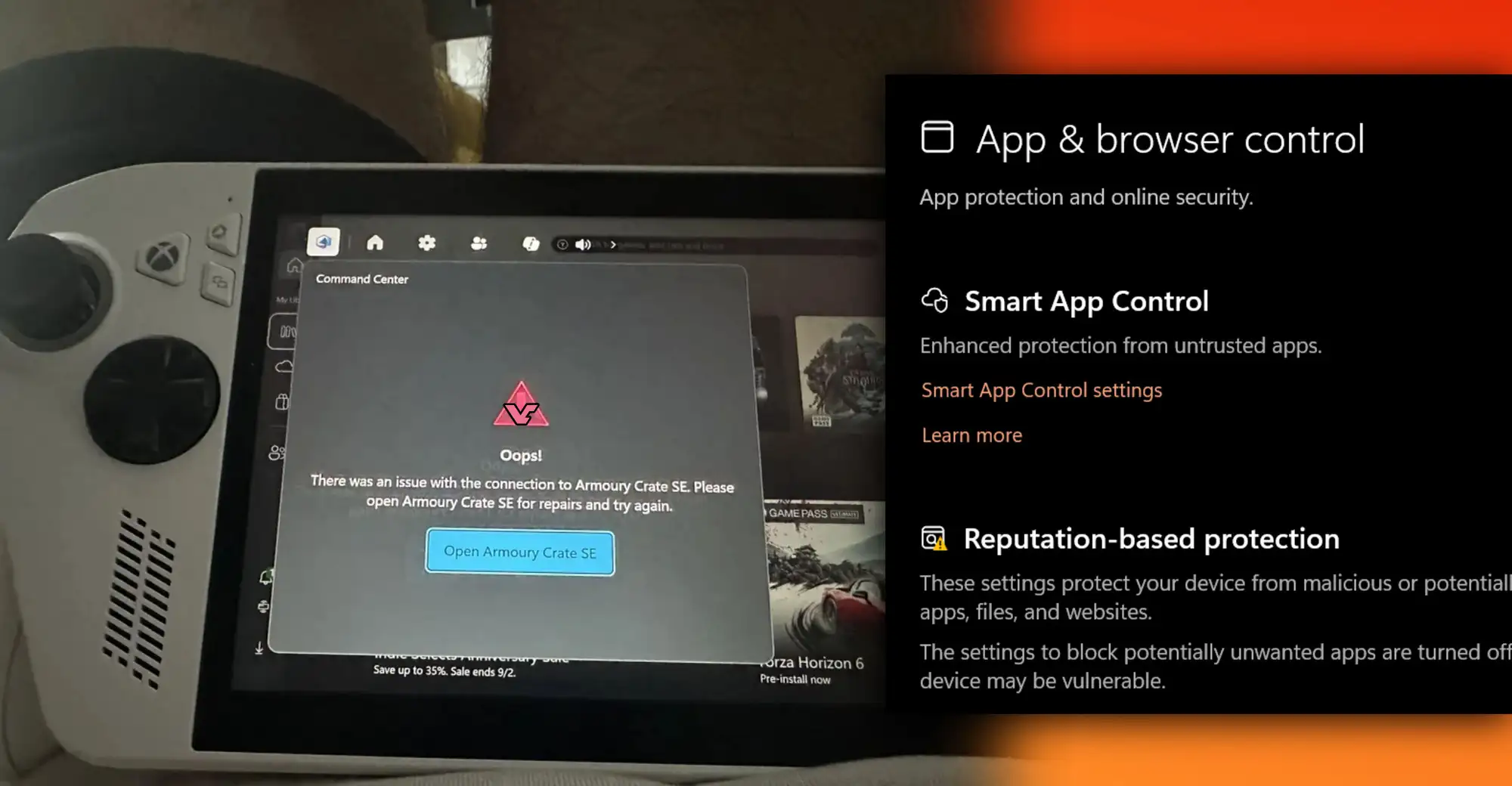
Instead of the usual interface, they got error messages claiming Windows couldn’t verify the software’s publisher, followed by complete shutdowns of Armoury Crate functionality.
The culprit? Windows Smart App Control, Microsoft’s AI-powered security feature that’s supposed to protect users from sketchy software, decided ASUS’s own signed utilities were somehow untrustworthy.
An embarrassing breakdown for Microsoft’s Xbox handheld
Here’s the kicker, the ROG Xbox Ally lineup is literally co-branded with Microsoft as part of their “This is an Xbox” campaign. These aren’t just any Windows 11 handhelds; they’re promoted as Xbox-branded gaming devices meant to deliver a console-like experience.
So when Windows updates break the primary control software that manages performance modes, TDP settings, button mapping, RGB lighting, and system updates, it’s not just frustrating, it’s borderline humiliating.
Armoury Crate SE isn’t optional fluff. It’s the command center for the entire Xbox Ally experience. Without it, users lose access to Turbo mode, can’t adjust fan curves, can’t remap controls, and can’t even update critical firmware.
Some users reported their devices reverting to baseline performance with no way to optimize settings. Others found themselves unable to launch games outside the Xbox app. For hardware that costs between $600 and $1,000, that’s completely unacceptable.
The workaround comes with a price
Windows Central confirmed the fix is straightforward: disable Smart App Control in Windows Security, then reboot. Problem solved, right? Not exactly.

Once you turn Smart App Control off in stable Windows builds, you can’t turn it back on without performing a full system reset. That’s the nuclear option for a problem Microsoft shouldn’t have created in the first place.
The irony stings even harder when you realize Microsoft is testing a toggle feature for Smart App Control in preview builds, but that’s not available to regular users yet. So for now, Xbox Ally owners are stuck choosing between functional hardware or Microsoft’s overzealous security theater.
This isn’t an isolated incident either. January 2026 has been brutal for Windows 11, with multiple updates causing black screens, boot failures, and now this mess with Smart App Control flagging legitimate Microsoft apps like Notepad and Snipping Tool.
When your security feature can’t tell the difference between malware and your own software, or your partner’s software on a co-branded device, something’s seriously wrong with your quality control.
Want more tech news and gaming updates? Follow Geek Realm Hub on Facebook, we’ve got your back when Windows doesn’t!