


If you game on Linux with an 8GB GPU, you’ve probably lived through this at some point: you launch a game, it runs fine for a while, and then the stutters start creeping in. Not a crash, not an obvious error, just a slow, steady degradation that gets worse the longer you play. Turns out the problem isn’t your hardware. It’s been happening at the kernel level all along, and nobody had properly fixed it. Until now.
Natalie Vock, a developer on Valve’s Linux graphics team who works primarily on the RADV Vulkan driver, just published a detailed blog post, explaining a problem she identified in how the Linux kernel manages VRAM, and the solution she built to fix it.
The patches she developed touch both the Linux kernel itself and KDE Plasma, and together they do something that sounds obvious but wasn’t happening before: they make sure the game you’re actively playing gets first access to your GPU’s memory, instead of competing on equal footing with every background app running on your system.
Background apps were quietly eating your VRAM
Here’s the actual problem. On a standard Linux desktop, your game is never the only thing using the GPU. A browser with a dozen tabs open, a music player, a system tray app, a Discord window, all of these eat into your VRAM before the game even starts loading its first texture. On an 8GB card, background applications alone can chew through up to 2GB of dedicated video memory while sitting completely idle in the background.
When VRAM fills up, the kernel doesn’t crash anything. Instead, it starts pushing memory allocations into a region called GTT, GPU-accessible memory that lives in your system RAM rather than on the card itself. The problem is that accessing system RAM over the PCI bus is dramatically slower than accessing dedicated VRAM.
On Vock’s own test system, the difference is stark: 256GB/s of bandwidth from VRAM versus a maximum of 16GB/s going through the PCI bus, on top of significantly worse latency. When game memory starts landing in GTT instead of VRAM, frame times go sideways.
The deeper issue is that the Linux kernel driver has no way to tell whose memory is whose. It sees a list of memory buffers and nothing else. It has no concept of which allocation belongs to an active game and which one belongs to a tab in a browser that hasn’t been clicked in an hour. Everything looks the same, so everything gets treated the same, and that’s exactly what causes performance to fall apart over time.
The Fix: Give the game its memory back
Vock’s solution uses Linux cgroups, a kernel feature that lets the system organize processes into groups and assign resource limits to each one. The approach is clever: rather than teaching the GPU driver what a “foreground app” is, which would be the wrong place to put that logic, the desktop environment handles it.
KDE Plasma detects which application is currently in the foreground and signals the system to give that app’s cgroup the highest priority for VRAM access. The kernel enforces the limits; the desktop decides who deserves them.
On the user-space side, two new packages make this work. The first is dmemcg-booster, a systemd service that enables and manages the DMEM cgroup limits responsible for protecting the active game’s memory.
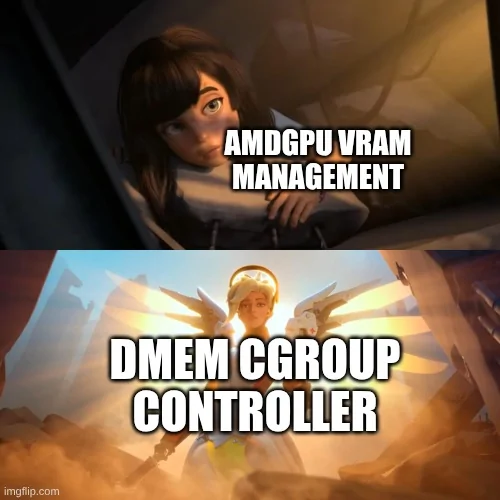
The second is plasma-foreground-booster, the KDE Plasma component that actually detects the foreground application and tells the system to prioritize it. Together, they ensure the game gets to use nearly every available byte of VRAM for actual rendering, instead of surrendering chunks of it to background noise.
Vock tested the fix by running Cyberpunk 2077 through Steam Play on a system with an 8GB GPU, with a full load of heavy background apps running at the same time. Before the patches, a significant amount of game memory was being pushed into GTT.
After the patches, GTT usage dropped to only the 650MB that Cyberpunk 2077 intentionally allocates there by design, zero unwanted spilling. Performance stayed stable throughout the session instead of slowly falling apart.
How to get it and what comes next
Right now, the easiest way to try this is on CachyOS with KDE Plasma as the desktop environment. The CachyOS kernel has included the necessary patches starting from version 7.0rc7-2, and both dmemcg-booster and plasma-foreground-booster are available in their package repositories, ready to install.
If you’re on another Arch-based distro, both packages are also available in the AUR, and you can pull the patched kernel from CachyOS’s repository separately.
Not running KDE? Newer versions of Gamescope, Valve’s own compositor, will also take advantage of the same kernel capabilities, so running games through Gamescope is a valid path regardless of your desktop environment, though you’ll still need dmemcg-booster installed either way.
For everyone on non-Arch distributions, the situation for now is just waiting for these patches to work their way upstream into the mainline Linux kernel and get picked up by official KDE packages and other distros over time.
It’s worth stepping back to appreciate what this actually represents. This isn’t a feature announcement or a marketing slide. Someone at Valve sat down, dug into kernel-level memory eviction behavior, traced exactly why Linux gaming on modest hardware keeps degrading over time, and fixed it at the root.
That kind of low-level, unglamorous work is exactly what makes the Linux gaming ecosystem genuinely better for everyone, not just people running the latest hardware.
Are you gaming on Linux with an 8GB GPU and have you dealt with the stuttering this fix is targeting? Drop your thoughts in the comments, we’d love to know if you’ve experienced this firsthand!