

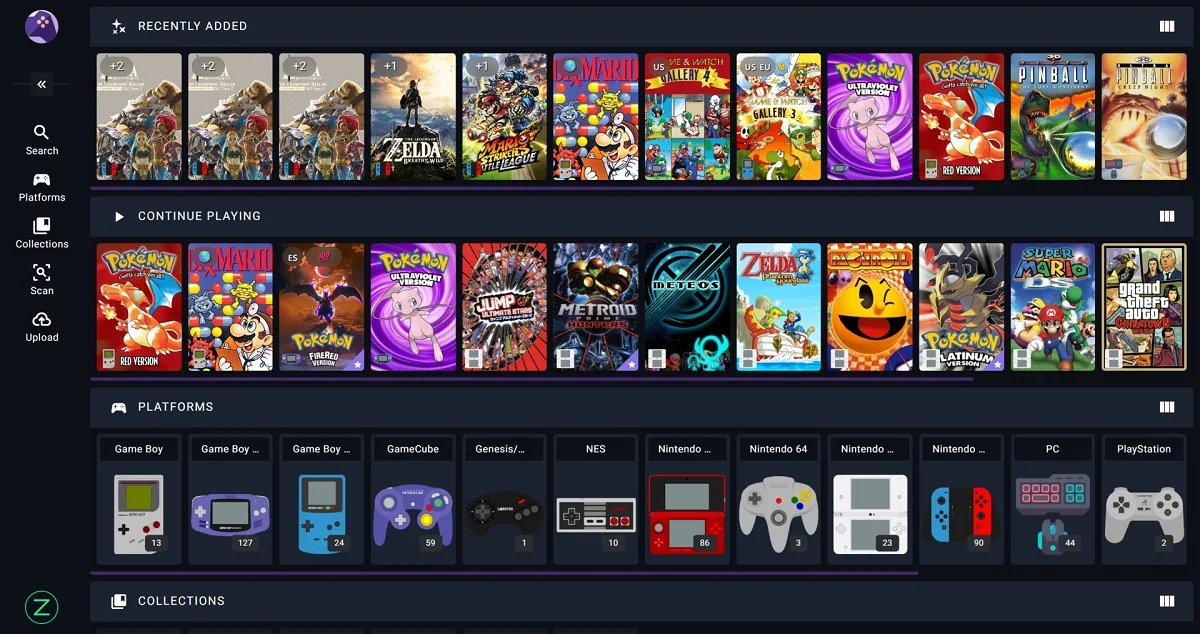

RomM, the open-source self-hosted ROM manager built by the rommapp development team, shipped version 5.0.0 on July 15, 2026, a ground-up reinvention of the platform we reviewed under the “Plex for games” comparison just thirteen days earlier, on July 2.
The tool, hosted on GitHub, runs entirely through Docker on a user’s own server, scanning a folder of inconsistently named ROMs and cross-referencing it against IGDB, ScreenScraper and MobyGames for metadata, SteamGridDB for custom cover art, and RetroAchievements for progress tracking, all without leaning on any third-party cloud service.
The rommapp team didn’t stop at 5.0.0, either. On July 29, 2026, exactly two weeks later, RomM followed up with version 5.1.0, introducing server-side emulator streaming and a batch of smaller refinements, two major releases inside a single month.
A ground-up redesign, not a coat of paint
The centerpiece of 5.0.0 is a complete rebuild of the interface, built from an entirely new design system with a fresh visual language and a universal input model that treats mouse, touch, keyboard and gamepad navigation as equally first-class ways to move through a library.
The update also brought a stronger emphasis on responsiveness, accessibility and raw performance, including an optimized gallery and search endpoint aimed at speeding up performance for users running large libraries, on a platform that supports metadata for more than 400 different systems.
Box art picked up an interactive 3D mode as part of the redesign, and a CRT shader mode arrived for players chasing the look of old tube displays during gameplay. Beyond the visuals, 5.0.0 introduced shared save states between users, useful for speedrunning, showing off progress, or picking up someone else’s New Game Plus file.
Server-side ROM patching also debuted in 5.0.0, letting patches be applied using stored or freshly uploaded files without leaving the web interface, on a platform that has long supported IPS, BPS and UPS patch formats. Pairing new devices got easier too, through QR code support currently live on the Argosy Launcher and the official Playnite plugin.
For server administrators, 5.0.0 added real-time backend logs viewable directly from the web UI, cutting down on how often anyone needs to SSH into a machine to diagnose a failed scan, along with a new controller debug view for testing inputs and button mappings live.
Music files placed inside a ROM’s soundtrack folder can now be played straight from its details page as well, with the feature also exposed through the API. The release also overhauled RomM’s permission system, adding per-user and per-group access controls with individual overrides, giving server owners far more precise control over who can see or touch what inside a shared library.
A wave of fixes rounded out the release, correcting RetroAchievements matching for systems including the Famicom Disk System, SuperGrafx and MSX2, fixing GameCube and Wii disc hashing, and resolving a bug that had been mapping public domain ROMs to Poland. Turkish was added as a supported interface language, continuing RomM’s steady push toward broader localization. Ten new contributors, including bonofiglio, ametis70, sildur and TowyTowy, made their first submissions during the 5.0.0 development cycle.
Emulator streaming leads a second wave of updates
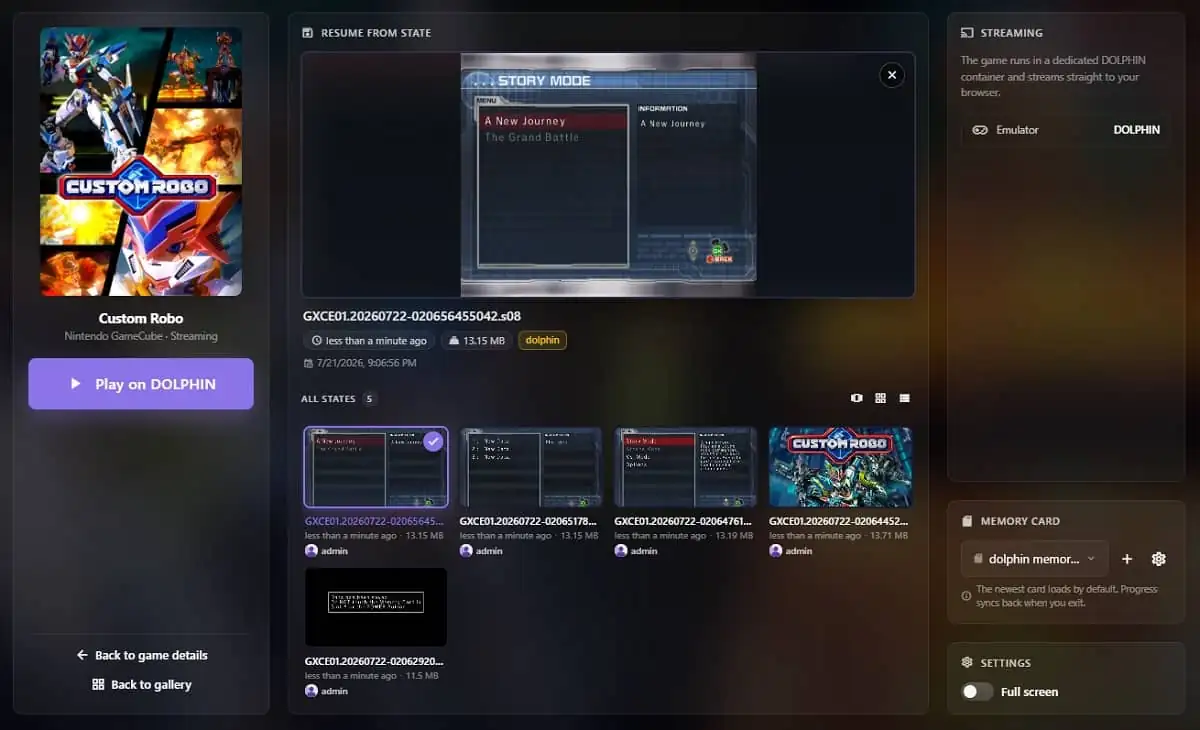
Version 5.1.0’s headline feature is emulator streaming, a mode that launches a game into a native emulator running in its own server-side container, using real emulator binaries like PCSX2, Dolphin and Xemu, then streams the picture, sound and input back to the browser. That shifts the heavy lifting from the client to the server’s own hardware.
The feature ships with a new set of configuration variables for admins who want to try it, including a required STREAMING_BROKER_SECRET key and a STREAMING_SAVE_TIMEOUT that defaults to 45 seconds. The RomM team has flagged the whole feature as being in early development, with full documentation still on the way.
5.1.0 also introduced per-field artwork priority overrides, letting different metadata source rankings be set individually for covers, screenshots and manuals rather than relying on one shared priority list.
A new Scan Settings interface allows the entire scan configuration section to be edited directly from the web UI instead of by hand-editing a config file, and manual cover searches gained client-side filters, making it faster to narrow down SteamGridDB results instead of scrolling through dozens of community-submitted covers. The release also added support for self-hosted instances of Playmatch, a service RomM integrates with, giving admins who run their own instance a dedicated environment variable to point to it.
A long list of additional fixes rounded out 5.1.0, ranging from corrected RetroAchievements hashing for m3u playlists and non-zip archives, to a fix preventing IGDB from incorrectly matching entries in a game series to their base title, to hardened CORS handling, session cookie security and filename sanitization.
On the database side, the team resolved several MariaDB-specific migration issues, including pinning device foreign-key column collations and making collection-related migrations idempotent so they don’t fail on partial reruns. Five new contributors, among them kthistlewood, XenuIsWatching and seffignoz, made their first submissions in 5.1.0.
The project keeps growing fast
The pace of development says a lot about where RomM is heading. Work on 5.0.0 was already underway before the original review even went live, with an alpha build published in late June to test the waters ahead of the full release. Two weeks after 5.0.0 shipped, 5.1.0 followed with an entirely new streaming architecture built on top of it.
The project’s GitHub repository has climbed to roughly 11,900 stars and 650 forks, up from about 9,400 stars when RomM was first covered here, with around 140 contributors credited on the project overall. Between the two releases, fifteen new contributors joined the commit history over roughly six weeks.
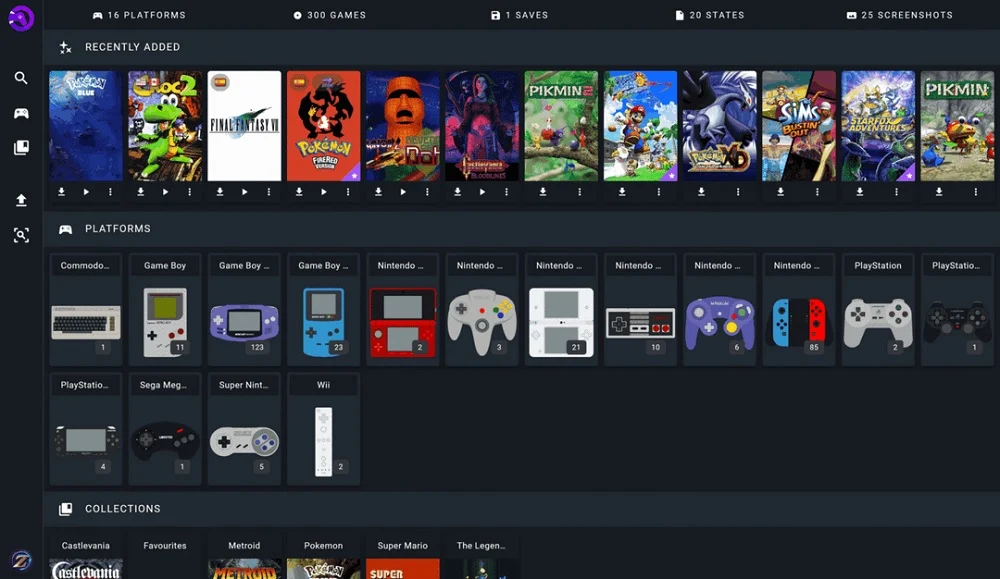
The ecosystem around RomM has kept expanding alongside the core app. Argosy remains the official native Android client for installing and launching games from a connected server, the Playnite plugin is still the official way to bring a RomM library into PC gaming setups, and Grout continues serving as the go-to download client for retro handhelds, with official support spanning ten confirmed systems: Allium, Batocera, Knulli, MinUI, muOS, NextUI, Onion, ROCKNIX, Spruce and TrimUI.
Beyond the official apps, the project’s own README credits a growing list of community-built tools that the RomM team doesn’t directly maintain but keeps catalogued for users. On mobile, a native iOS app built by developer ilyas-hallak brings RomM libraries to iOS devices.
On desktop, options now include RomMate, a standalone app for browsing a collection, a RetroArch library sync tool, and Freegosy, a community-built all-in-one game manager. For handhelds specifically, DeckyRommSync syncs a library to SteamOS devices, and SwitchRomM offers a homebrew client for the Nintendo Switch.
Rounding things out, the Discord bot romm-comm lets users manage their library from chat, a Syncthing-based tool keeps collections synced across devices, and GGRequestz adds game discovery and request functionality on top of a RomM server.
For a tool that runs entirely on a user’s own hardware, with no dependency on a company’s cloud servers staying online, that kind of momentum is exactly what keeps a self-hosted project alive long-term. RomM isn’t just surviving, it’s actively becoming a more polished, more capable version of itself every couple of weeks.
Have you tried RomM’s new emulator streaming yet, or are you still deciding whether to finally set this up on your own server? Let us know what you think in the comments!