



YouTuber Cocoanix had a Prusa MK3S that was driving him crazy. Not because the printer was broken, but because it was slow, painfully, frustratingly slow. Even simple prints were eating up serious chunks of time, and he wasn’t willing to just buy a new machine.
So instead, he grabbed a jailbroken Nintendo Switch, installed Ubuntu Linux on it, ran open-source firmware called Klipper through it, connected it to the printer, and watched a Benchy that normally takes 90 minutes come out in 8 minutes and 41 seconds.
The video he posted about it, titled “Klipper on a Nintendo Switch Made My Prusa MK3S 10x Faster“, immediately made rounds across Hackaday, Tom’s Hardware, PC Gamer, and Hackster.io. And for good reason.
The Prusa MK3S was released in 2019 and is still a respected machine in the 3D printing community. But like most printers of its generation, it runs on an 8-bit microcontroller that handles everything at once, motion planning, G-code processing, speed calculations, all of it on the same limited chip.
That’s the real bottleneck. Not the mechanics. Not the build quality. The brain. As Cocoanix puts it, running standard firmware like Marlin on that chip is “a bit like asking a calculator to run a spreadsheet.” The hardware can physically move faster than the firmware allows it to.
Klipper is the real star here, the Switch is just the messenger
Klipper is open-source firmware that works completely differently from Marlin. Instead of running everything on the printer’s own microcontroller, Klipper offloads all the heavy computation, motion planning, G-code interpretation, advanced calculations, to an external device with a faster processor.
SEE ALSO: How to Stream PC games to Nintendo Switch using Moonlight-Switch
The printer’s microcontroller then only handles the simple, low-level stuff: telling the motors what to do. The result is a machine that can move smarter, faster, and with much better vibration compensation than stock firmware ever allowed.
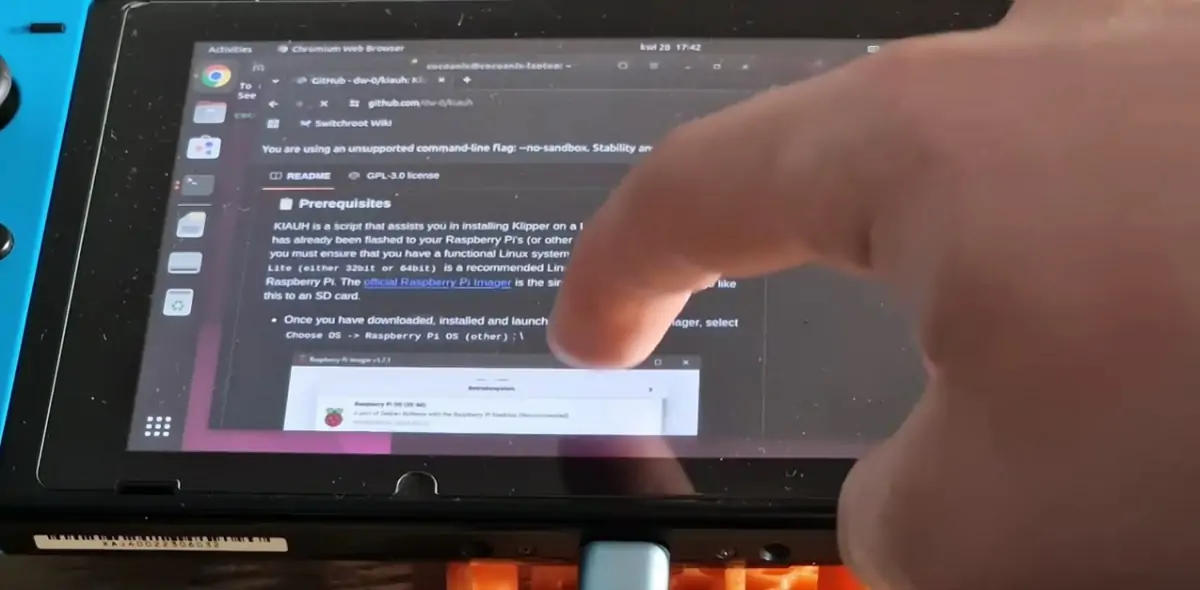
The external device in this case happened to be a Nintendo Switch, which packs a quad-core Nvidia SoC, more than enough firepower for what Klipper needs. Cocoanix installed Ubuntu Linux on the jailbroken console, then set up Klipper the same way you would on any Linux device.
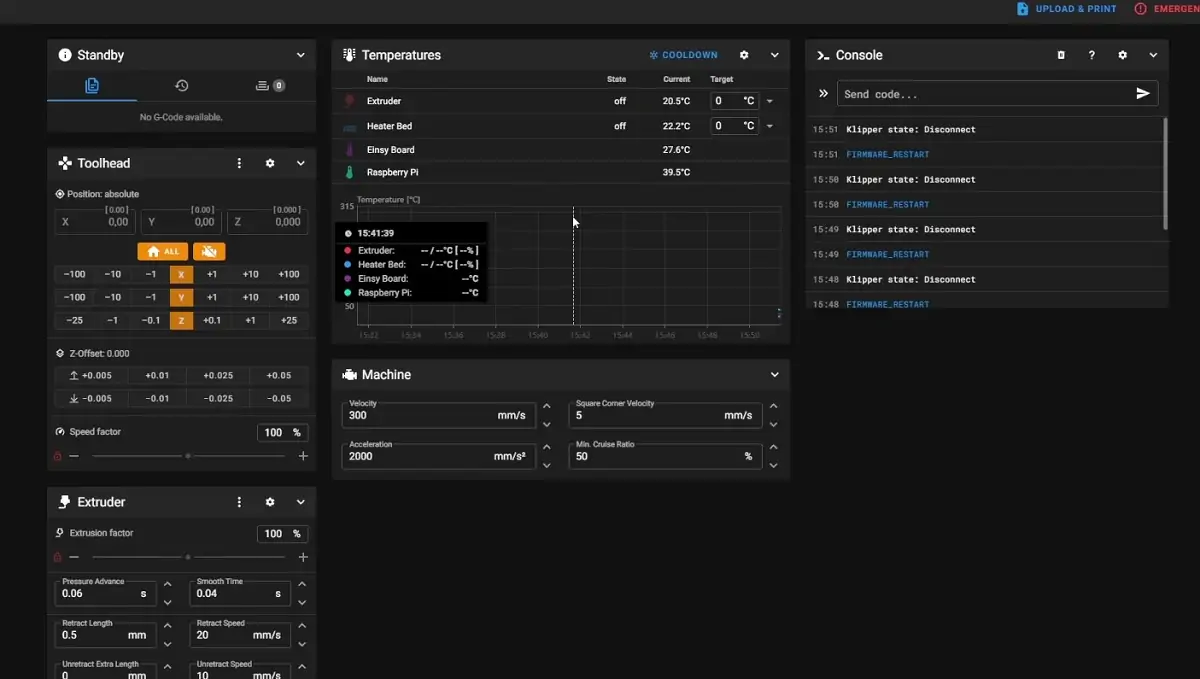
From there, he connected the Switch to the Prusa MK3S via USB, found the printer’s unique serial ID through Linux, linked the two devices, and started stress-testing the limits. Those limits turned out to be 400 mm/s at 17,000 mm/s² of acceleration, numbers the MK3S was never supposed to hit on stock firmware.
Klipper also brings a feature called Input Shaper, which analyzes and compensates for vibration in the printer’s frame in real time. Less vibration means you can push speeds much higher without print quality falling apart.
And on top of all that, Klipper’s configuration lives in a simple, editable text file, no recompiling firmware, no restarting the printer every time you want to tweak a setting. The user interface runs through the Mainsail or Fluidd web dashboard, which is clean and modern compared to anything stock firmware offers.
The quality improvements are real too, not just the speed. According to Cocoanix, switching from Marlin to Klipper produces prints with less ringing and ghosting, those wavy artifacts that show up around sharp edges and fine details when a printer is moving fast. The motion planning is simply more sophisticated.
The 8-Minute Benchy is impressive, but there’s a catch
So what did that 8-minute and 41-second Benchy actually look like? Rough, honestly. But that’s expected at those extreme speeds, and Hackster.io notes that nearly all sub-10-minute Speed Benchy prints look rough, Cocoanix’s result was actually respectable within that context.
The issue isn’t Klipper or the Switch. At 400 mm/s, the bottleneck completely shifted away from processing power and landed squarely on the printer’s hotend and extruder, which simply can’t melt and push filament fast enough to keep up. The cooling and the bed-slinger Y-axis are also pushed close to their physical limits at that speed. The firmware is no longer the weak link, the hardware is, which is exactly the point of the whole exercise.
Cocoanix is also upfront about something important: you don’t actually need a Nintendo Switch to do any of this. He openly admits that “for most people, a Raspberry Pi is a better choice.” The Switch requires a jailbreak, a Linux install, and more setup steps than just dropping a Pi into the workflow. The Switch works, but it’s unconventional, and that’s precisely why the video exploded. It’s a great hook. A Raspberry Pi doing the same thing wouldn’t have landed on the front page of Tom’s Hardware.
That said, the Switch does bring one practical bonus that a bare Pi doesn’t: a built-in touchscreen, which Tom’s Hardware points out could be genuinely useful as a physical interface for the printer. It’s not just a flex, there’s a real usability argument there for makers who prefer a hands-on display without buying a separate screen.
Why this matters beyond the stunt
It’s easy to look at this and file it under “cool gimmick, moving on.” But the real story here is about squeezing life out of hardware you already own. The Prusa MK3S is a printer that thousands of people have sitting on their desks right now.
Many of them have considered upgrading just because their prints are slow. This project is proof that the machine itself isn’t the problem, and that a free, open-source firmware swap can unlock performance that stock firmware was quietly killing for years.
Klipper isn’t new, and using a Raspberry Pi to run it is a well-known trick in the maker community. But Cocoanix’s video repackaged that idea in a way that made it accessible and entertaining for a much wider audience. His own verdict sums it up well: “Klipper is one of the best things you can do for an old printer, it’s free, it’s powerful, and apparently you can run it on a gaming handheld.”
For anyone sitting on an older printer that’s been collecting dust because newer machines feel faster and more capable, this is a reminder that modern software can close that gap significantly, and it won’t cost you a dime.
Would you try this on your own printer, or is the jailbreak step a dealbreaker for you? Tell us in the comments, we’d love to know!