



For years, playing GameCube and Wii games on an iPhone was either impossible or required jailbreaking your device and jumping through a dozen hoops. That changed with DolphiniOS, a native port of the legendary Dolphin emulator built specifically for iOS and iPadOS by a developer known as OatmealDome. No jailbreak required. No hacks. Just classic Nintendo games running directly on your iPhone or iPad.
Dolphin has been the gold standard GameCube and Wii emulator on PC, macOS, and Android for years, highly accurate, well-maintained, and trusted by the emulation community. DolphiniOS takes that same core and rebuilds it from the ground up for Apple devices. The project is fully open-source, has been in active development for years, and supports iOS 14 and above, covering the vast majority of iPhones and iPads currently in use.
Game files go in through DolphiniOS’s own import system, which connects directly to the Files app. Supported formats include ISO, WBFS, and GCM, the standard formats for GameCube and Wii titles. Once imported, games appear in a clean library ready to launch. The emulator supports save states, HD graphics rendering, and full Bluetooth controller compatibility, PS4, PS5, and Xbox controllers all work out of the box. For touchscreen players, there’s an on-screen layout that includes a Wii pointer operated in drag mode, where your finger moves the cursor like a laptop trackpad. On iOS 18 and later, the app also integrates with Apple’s Game Mode to help prioritize performance while you play.
Twenty years of Dolphin, and why iOS took so long
To understand why DolphiniOS exists and why it took this long to arrive on iPhone, it helps to know where Dolphin came from. The emulator first launched in September 2003 as a closed-source experimental project, and was the first GameCube emulator capable of running commercial games. In 2008, the original developers made it open-source, which opened the floodgates: contributions poured in, compatibility improved dramatically, and Wii emulation was added. The project expanded to Linux, macOS, and in April 2013, the team released the first builds for Android.
Android users have had a fully functional, officially supported Dolphin app for over a decade. iPhone users had nothing, not because the hardware couldn’t handle it, but because Apple’s platform made it structurally impossible. Until April 2024, Apple’s App Store guidelines outright banned emulator software. That changed when Apple updated its App Store Review Guidelines on April 5, 2024, officially allowing retro game console emulators globally for the first time. Emulators like Delta, a multi-system Nintendo emulator, landed on the App Store almost immediately after the policy changed.
DolphiniOS, however, still isn’t on the App Store, and the reason comes down to one specific technology Apple continues to block: JIT. Apple’s guidelines allow emulators, but they don’t allow third-party apps to use JIT compilers, the technology Dolphin depends on to translate the GameCube and Wii’s PowerPC code into something an iPhone’s ARM chip can execute at full speed. Without JIT, performance is severely degraded. OatmealDome even submitted a Digital Markets Act interoperability request to Apple asking for JIT access, Apple denied it.
What you need to know about JIT
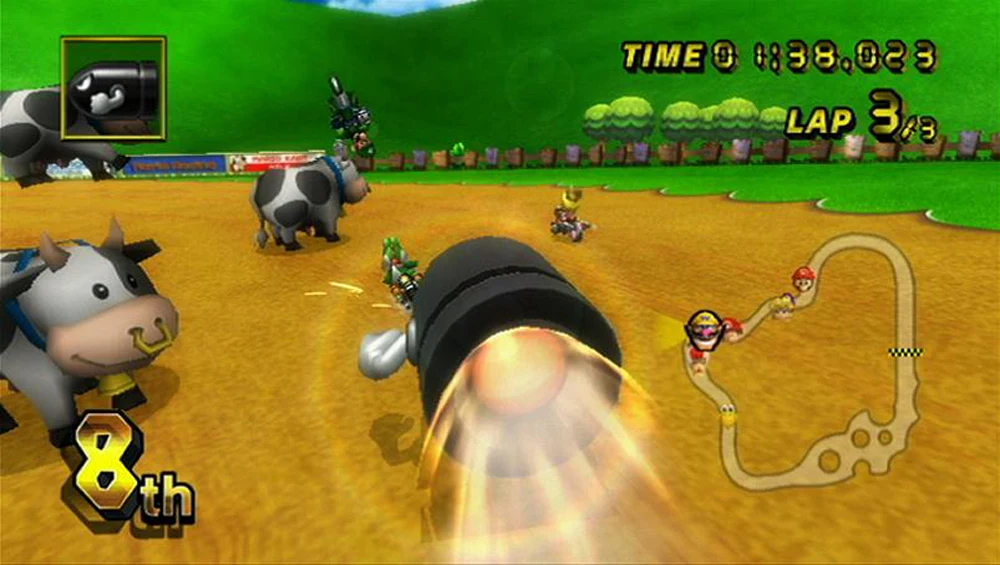
JIT, or Just-In-Time compilation, is the technology Dolphin uses to translate the GameCube and Wii’s PowerPC code into something your iPhone’s ARM chip can actually run at speed. Without it, the emulator falls back to Cached Interpreter mode, which is significantly slower. The developer has confirmed that even on an iPhone 16 Pro Max, the most powerful iPhone on the market, Mario Kart Wii without JIT drops to roughly 30fps, about 50% of full speed.
Enabling JIT is straightforward. The recommended method is StikDebug, a free app available on the App Store that unlocks JIT for DolphiniOS. AltStore and SideStore, the two most popular iOS sideloading platforms, can also enable JIT automatically whenever your device is on the same Wi-Fi network as your computer.
As for installation, DolphiniOS goes through AltStore or SideStore using OatmealDome’s official source, or through TrollStore for those who have it. The process takes around ten minutes.
A library that keeps growing
With JIT enabled, the GameCube and Wii library opens up considerably. Titles like Mario Kart Wii, Super Mario Galaxy, The Legend of Zelda: Twilight Princess, Super Smash Bros. Brawl, Mario Kart: Double Dash, and F-Zero GX are all part of what DolphiniOS can run. The official documentation recommends devices with at least 4GB of RAM, like the iPhone 11 or newer, for the best performance.
The latest update brought the Dolphin core to version 2509 and delivered a roughly 10% speed boost to the Cached Interpreter. A recent beta also added support for emulating the Skylanders Portal of Power, extending compatibility to the Skylanders Wii titles. The project just hit version 5.0.0, and active development continues with fixes targeting iOS 26, Apple’s most recent operating system.
Not every game will run perfectly, and performance on older hardware will vary. But for anyone who grew up with a GameCube or Wii and owns an iPhone made in the last five or six years, DolphiniOS is the closest thing to carrying those consoles in your pocket.
Have you already tried DolphiniOS, or is this the push you needed to finally set it up? Drop a comment below and tell us which game you’re loading first, and if you’ve been running it for a while, we want to know how it’s holding up on your device. The conversation starts here.