

If you’ve ever wondered why some keyboards feel like typing on clouds while others sound like a machine gun at a shooting range, the answer lies in one crucial component: the switch. Whether you’re grinding through ranked matches at 2 AM or hammering out spreadsheets during work hours, the type of switch under your keycaps can make or break your experience.
Let’s cut through the marketing jargon and dive into what actually matters when choosing keyboard switches. This isn’t about finding the “best” switch, because spoiler alert, that doesn’t exist. It’s about finding the right one for you.
Understanding the three main switch types
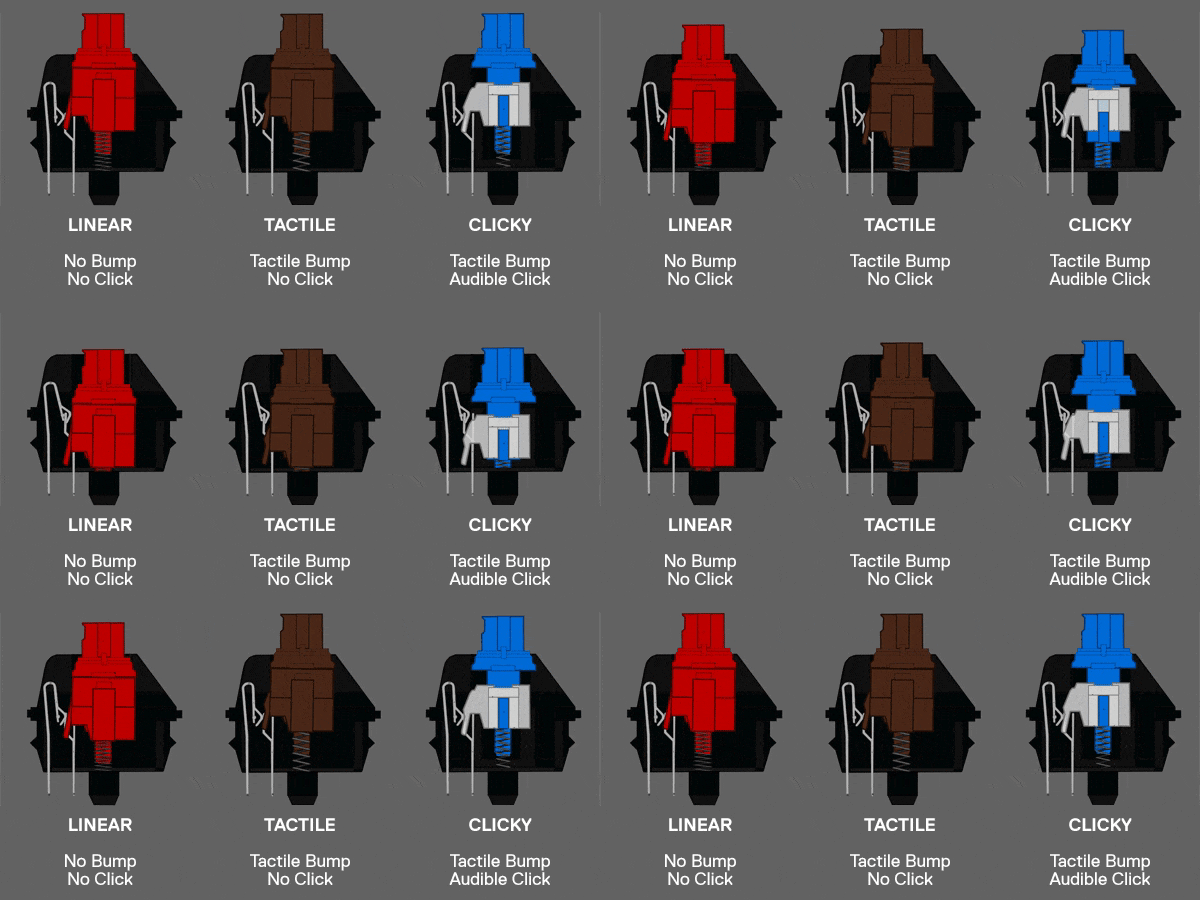
Before we get into specific brands and models, you need to know the three fundamental categories that define how a switch feels and sounds.
Linear switches are the smooth operators of the keyboard world. Press down, and you get consistent resistance from top to bottom with no bumps or clicks. They’re quiet, fast, and favored by gamers who need rapid key presses without tactile distractions. Think of them as the sports cars of switches, built for speed and precision.
Tactile switches give you a noticeable bump partway through the keystroke, letting you know the key press has registered without having to bottom out. They’re the middle ground, offering feedback without the noise. These are popular among people who type a lot and want to feel their keystrokes without annoying everyone in a 10-foot radius.
Clicky switches are the attention seekers. They have that tactile bump plus an audible click that announces every keystroke to the world. Love them or hate them, there’s no ignoring them. They’re satisfying as hell to type on but might get you some dirty looks in shared workspaces.
Cherry MX: The industry standard
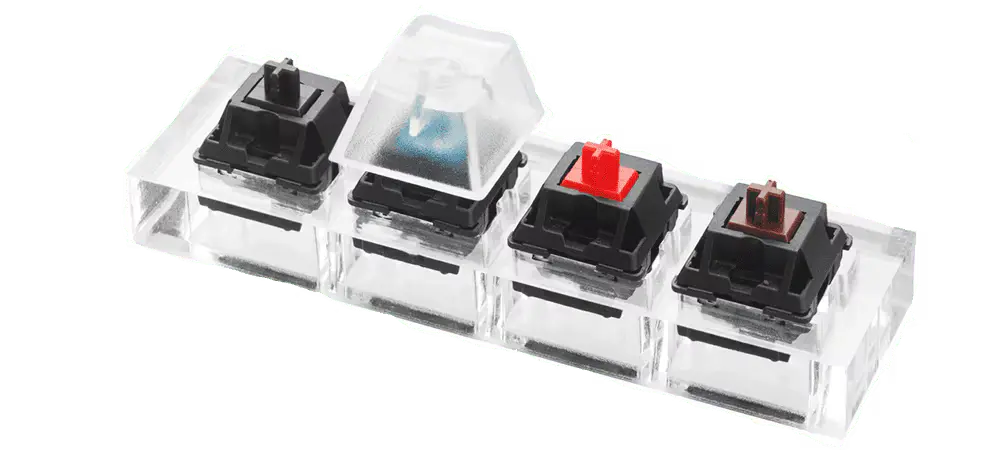
When people talk about mechanical switches, Cherry MX is usually the first name that comes up, and for good reason. They’ve been in the game since the 1980s and set the standard that most other manufacturers follow.
Cherry MX Red switches are linear with a 45g actuation force. They’re smooth, relatively quiet, and have become the go-to choice for gamers. The lack of tactile feedback means you can double-tap and spam keys without fighting against a bump. The downside? That same smoothness can lead to accidental key presses if you rest your fingers on the keys, and some typists find them too sensitive for long writing sessions.
Cherry MX Blue switches are the classic clicky switches that most people picture when they think “mechanical keyboard.” With a 50g actuation force and that distinctive click, they’re incredibly satisfying for typing. The tactile and audible feedback makes them great for accuracy, but they’re loud, really loud. Your coworkers will know exactly how many emails you’re sending. They’re also not ideal for gaming since the tactile bump can slow down rapid key presses.
Cherry MX Brown switches are the compromise. They’re tactile with a 45g actuation force but without the loud click of Blues. They’re quieter, versatile, and work reasonably well for both gaming and typing. The catch? Some people find them mushy or underwhelming, not quite linear enough for gaming purists, not clicky enough for typing enthusiasts. They’re the “jack of all trades, master of none” option.
Cherry MX Black switches are linear like Reds but with a heavier 60g actuation force. This makes them less prone to accidental presses and gives them a more deliberate feel. They’re great if you have a heavy typing style or want more resistance during gaming. The trade-off is that they can be tiring during extended use, and the heavier spring isn’t for everyone.


Gateron: The value champion
Gateron switches have earned serious respect in the mechanical keyboard community by offering Cherry MX-style switches at lower prices without sacrificing quality. In fact, many enthusiasts argue they’re smoother than Cherry switches right out of the box.
Gateron Red switches mirror Cherry MX Reds with their linear feel and 45g actuation force, but they’re often described as smoother with less scratchiness. They’re excellent for gaming and light typing, offering that buttery smooth keystroke that linear lovers crave. The main con is the same as Cherry Reds, easy to accidentally press if you’re a light typer.
Gateron Blue switches are the clicky alternative to Cherry MX Blues, with a similar 55g actuation force and that satisfying click. They’re slightly smoother than Cherry Blues and often cheaper, making them a solid choice for typing enthusiasts on a budget. But again, they’re loud, so consider your environment before committing.
Gateron Brown switches follow the tactile-but-not-clicky formula with a 55g actuation force. They’re smooth and versatile, working well for both gaming and productivity. Like Cherry Browns, they can feel a bit vague to some users, the tactile bump isn’t as pronounced as some would like.
Gateron Yellow switches deserve special mention. These linear switches have a 50g actuation force that sits between Reds and Blacks, and they’ve become cult favorites for their smoothness and balanced feel. They’re fantastic for both gaming and typing, offering enough resistance to prevent accidental presses while remaining light enough for comfort. The only real downside is that they’re linear, so if you want tactile feedback, look elsewhere.
Kailh Box: The durability kings
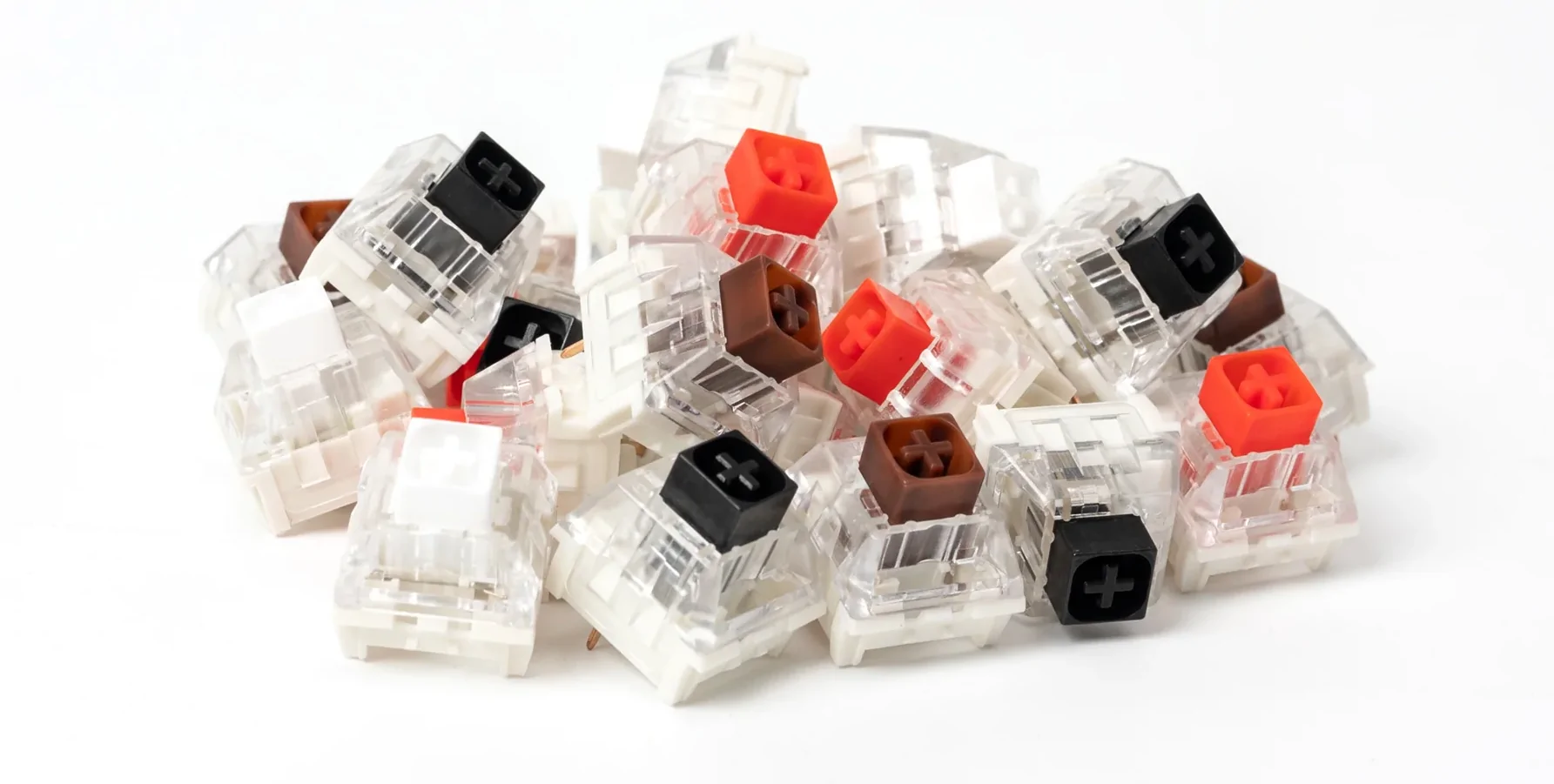
Kailh Box switches feature a unique design with a box-shaped stem that provides better dust and moisture resistance. They’re also incredibly stable, with less wobble than traditional switches.
Kailh Box Red switches are linear with a 45g actuation force, similar to Cherry and Gateron Reds. The box design makes them feel more stable and consistent, with less key wobble. They’re smooth, reliable, and great for gaming. The potential downside is compatibility, some older keycap sets might not fit perfectly on Box switches due to the thicker stem.
Kailh Box Black switches are linear with a heavier 60g actuation force, making them the Box family’s answer to Cherry MX Blacks. They offer that same excellent stability and dust resistance but with more resistance that prevents accidental key presses. The heavier spring makes them ideal for people with a heavier typing style or those who want more deliberate keystrokes during gaming. They’re smooth and satisfying, though the increased weight can be fatiguing during marathon typing or gaming sessions. If you found Box Reds too light but love the Box design, these are worth trying.
Kailh Box White switches are clicky with a 45g actuation force, but they use a click bar mechanism instead of the traditional click jacket. This creates a crisper, sharper click that many people prefer over Cherry Blues. They’re lighter than most clicky switches, making them less fatiguing for typing. However, they’re still loud, and the click bar mechanism can feel different if you’re used to traditional clicky switches.
Kailh Box Brown switches are tactile with a 45g actuation force and feature that same stable box design. The tactile bump is more pronounced than Cherry or Gateron Browns, which some users prefer. They’re versatile and work well for mixed use. The trade-off is that the stronger tactile bump might slow you down slightly in fast-paced gaming scenarios.
Razer: Gaming-focused innovation
Razer manufactures their own switches specifically designed for gaming performance, and while they’re primarily found in Razer keyboards, they’re worth understanding if you’re shopping in that ecosystem.
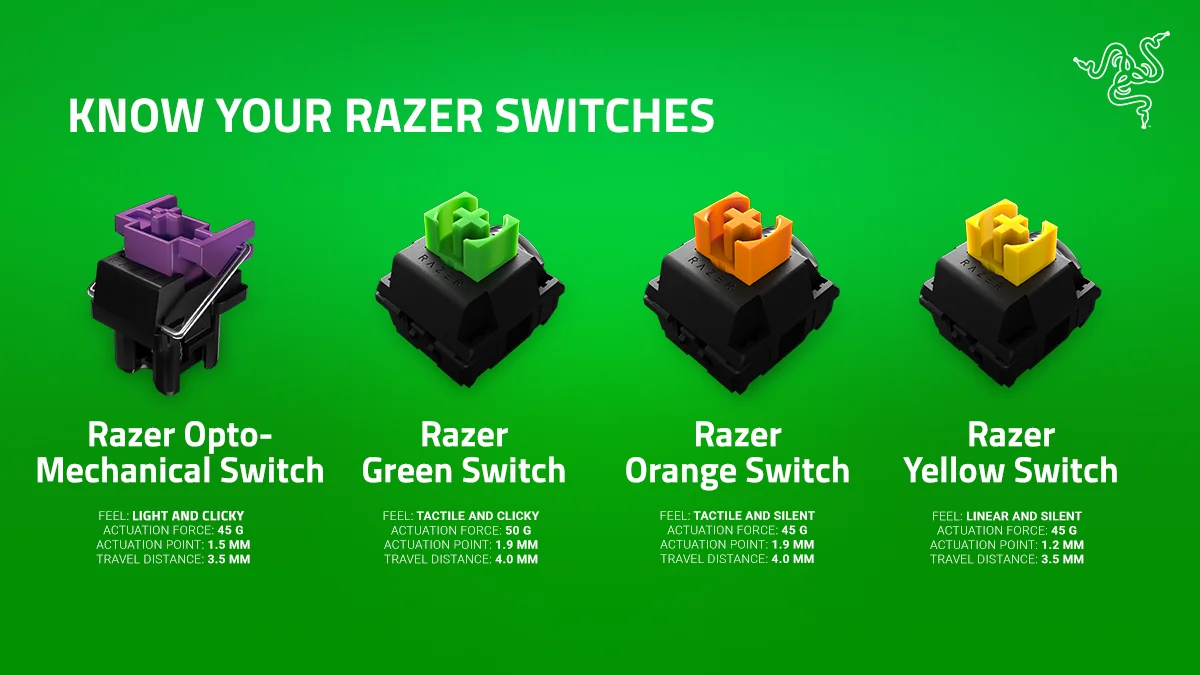
Razer Green switches are clicky and tactile with a 50g actuation force. They’re designed to mimic Cherry MX Blues but with an actuation point optimized for gaming. They’re satisfying to type on and provide clear feedback, but like all clicky switches, they’re loud and might not be ideal for rapid-fire gaming.
Razer Yellow switches are linear with a 45g actuation force and a shorter travel distance, making them Razer’s speed-focused option. They’re smooth, quiet, and built for fast gaming performance. The shorter actuation point can take some getting used to, and they might feel too sensitive for heavy typists.
Razer Orange switches are tactile without the click, similar to Cherry MX Browns but with a 45g actuation force. They’re quieter than Greens while still providing tactile feedback, making them a good middle ground for gaming and work. Some users find them less distinctive than other tactile options.
Razer Opto-Mechanical switches take things a step further by combining mechanical switch feel with optical actuation technology. Instead of relying on metal contact points, these switches use an infrared light beam to register key presses. This hybrid approach means you get the tactile or linear feel you’re used to, but with faster response times and theoretically longer lifespan since there’s no metal-on-metal contact to wear out. They come in linear (Red) and clicky (Purple) variants, both with a 45g actuation force. The main advantages are speed and durability, Razer claims up to 100 million keystrokes. The downside is that you’re locked into Razer’s ecosystem, and like all optical switches, they require keyboards specifically designed for them. They’re excellent for competitive gaming where every millisecond counts, though most users won’t notice a dramatic difference in real-world performance.
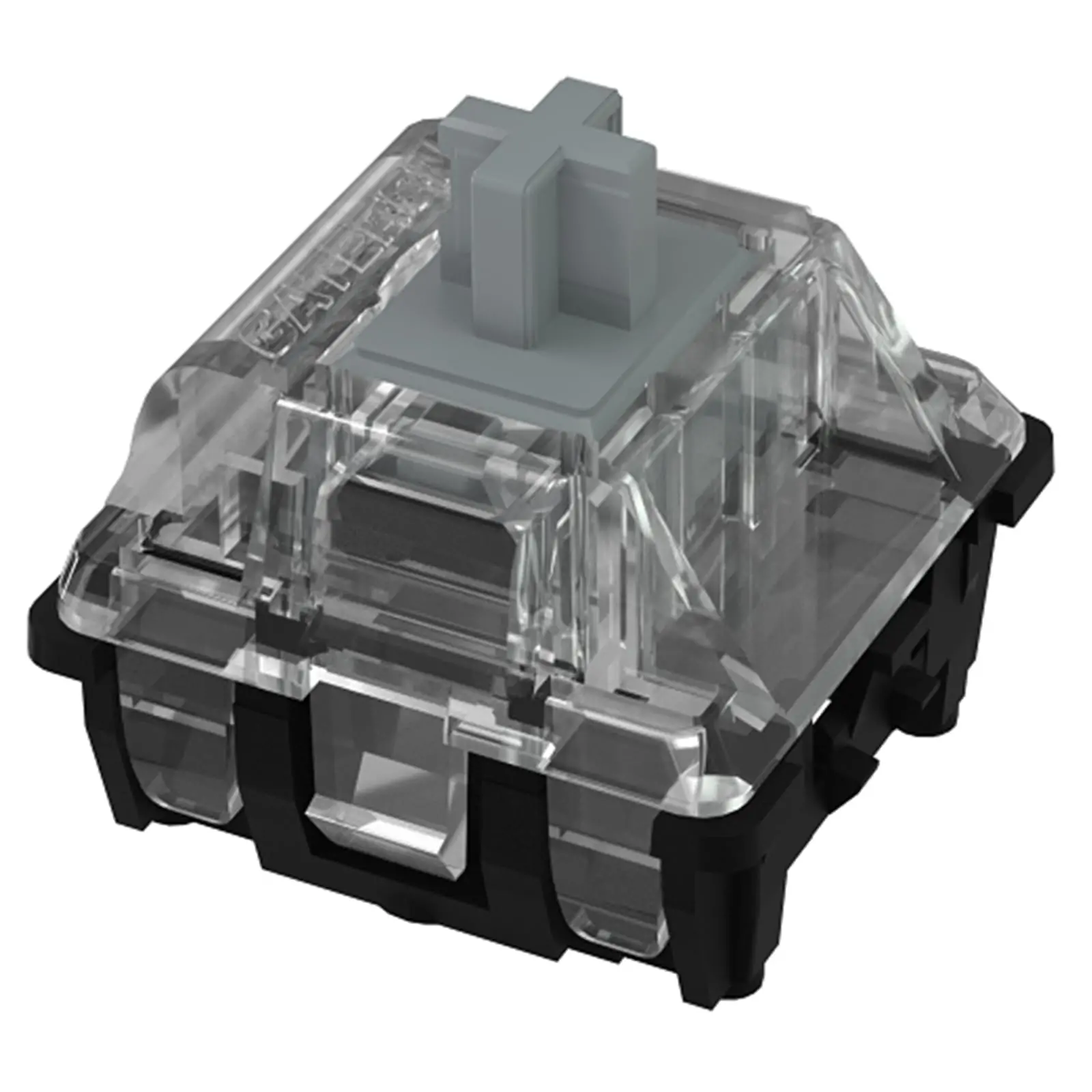
Optical switches: The speed demons
Optical switches use light beams instead of metal contacts to register key presses, which theoretically makes them faster and more durable since there’s no physical contact to wear out.
Gateron Optical switches come in Red (linear), Brown (tactile), and Blue (clicky) variants, each mimicking their mechanical counterparts. The main advantage is faster actuation and potentially longer lifespan, up to 100 million keystrokes compared to 50 million for standard mechanical switches. They’re also more resistant to debounce issues. The downside? They require keyboards specifically designed for optical switches, so you can’t just swap them into any mechanical keyboard.
The optical technology means near-instantaneous actuation, which sounds great for gaming, but in practice, the difference is measured in milliseconds that most humans can’t perceive. They’re excellent switches, but don’t expect a magical performance boost.
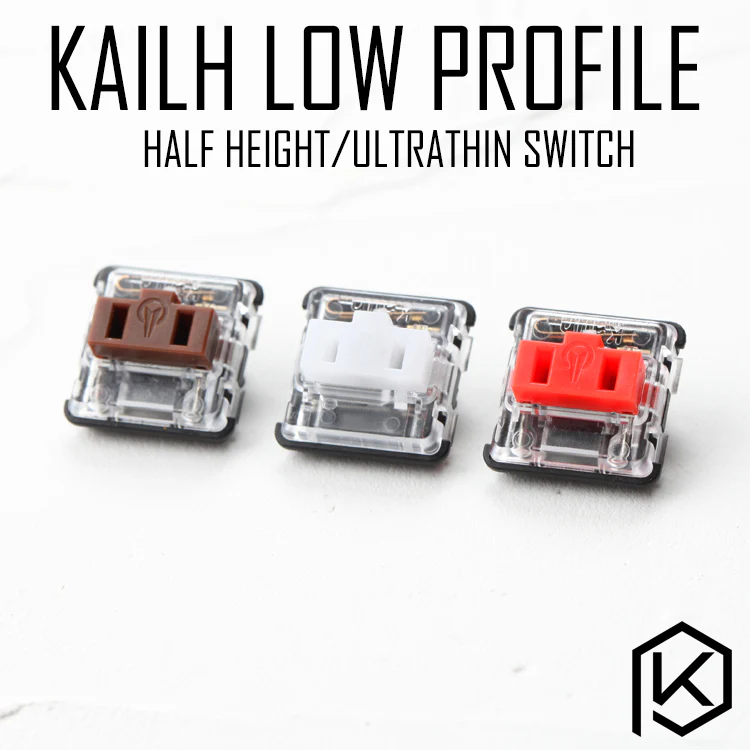
Low-profile switches: Slim and fast
Low-profile switches are shorter than standard switches, resulting in thinner keyboards with reduced travel distance. They’re popular for portable setups and people who want a more laptop-like typing experience.
Kailh Choc switches are among the most popular low-profile options, available in Red (linear, 50g), Brown (tactile, 50g), and White (clicky, 50g) variants. They offer a typing experience closer to laptop keyboards but with mechanical switch benefits. The shorter travel distance makes them fast for gaming, and the slim profile is great for portability. However, keycap options are limited, and some people find the shorter travel distance less satisfying than full-height switches.
Cherry MX Low Profile switches (also called MX Speed) offer a similar concept with Red (linear) and RGB variants. They maintain Cherry’s quality while reducing keyboard thickness. They’re fast and reliable but share the same limitations as other low-profile switches, less key travel and fewer customization options.

Making your choice
Here’s the reality: reading about switches only gets you so far. The difference between a 45g and 50g actuation force, or the exact feel of a tactile bump, is something you need to experience firsthand.
If you’re primarily gaming, linear switches (Cherry MX Red, Gateron Yellow, Kailh Box Red) are your best bet. They’re fast, smooth, and won’t slow you down during intense moments.
For typing-heavy work, tactile switches (Cherry MX Brown, Kailh Box Brown, Gateron Brown) or even clicky switches (Cherry MX Blue, Gateron Blue) if your environment allows it, will give you the feedback that makes typing feel more deliberate and satisfying.
For a balanced approach that handles both gaming and productivity, you’re looking at tactile switches or lighter linear switches. Gateron Yellows have become incredibly popular in this category for good reason.
And if you’re still unsure? Most mechanical keyboard communities recommend starting with Cherry MX Browns or Gateron Browns. They’re not the most exciting switches, but they’re versatile enough to help you figure out what you actually want. From there, you can explore more specialized options.
The switch under your fingers matters more than most people realize. It affects your speed, accuracy, comfort, and even how much you enjoy using your keyboard. Take the time to find your match, your fingers will thank you.
Want more deep dives into gaming gear, tech breakdowns, and honest reviews? Follow us for content that cuts through the hype and gives you the real story.